- Home >
- The Residential VPN Built for Streaming >
- Netflix VPN


How to Use a VPN on Netflix
- Enjoy your Netflix with U.S. residential IPs in countless cities.
- Stream buffer-free with more than 11,000+ IPs.
- Protect your privacy while on unsafe networks.


Key Takeaways
| Why VPNs get blocked | Most VPNs use datacenter IP addresses that Netflix recognises and blocks. |
| Why residential IPs differ | Residential IPs are assigned by ISPs to real households – harder for Netflix to flag. |
| Log in first | Log in to Netflix before turning on your VPN to avoid login verification prompts. |
| “Proxy Detected” fix | Switch server and clear your browser cache. |
| How Mysterium VPN works | Traffic exits through real residential connections, not datacenter servers. |
Why Netflix Blocks VPNs (& Why Residential IPs Are Different)
Netflix flags IP ranges registered to known VPN servers and commercial data centers. Residential IPs are assigned by ISPs to real households – they don't appear in VPN databases or trace to hosting providers.
This is the architectural reason why residential VPNs are less likely to trigger the proxy-detected error.
How to Set Up Mysterium VPN for Netflix

Download and install Mysterium VPN
Get the app for your device. Download Mysterium VPN!

Log in to your Netflix account before turning on the VPN
Sign in to Netflix first. Logging in before you connect reduces login verification prompts.

Open Mysterium VPN and connect to a server in your target country
Choose a location in the region whose library you want to watch, then connect. Mysterium offers residential IPs across 100+ countries.

Refresh Netflix
Refresh your Netflix browser tab or restart the app. The regional library for your connected country should now load.
Netflix VPN Not Working? Common Fixes
- “Proxy Detected” error: Switch to a different server location in Mysterium and clear your browser's cookies and cache. Then refresh Netflix.
- Slow speeds or SD quality: Connect to a server geographically closer to your location. The distance between you and the exit IP affects speed.
- Still seeing your home library: Confirm the VPN is connected, check for DNS leaks, and try a different browser or a fresh tab.
Residential IPs are less likely to trigger the proxy detected error in the first place, because they don't appear in Netflix's VPN server databases. Less likely – not never; no VPN can promise permanent access as detection methods change.
Using Mysterium VPN on Smart TV or Streaming Devices
Smart TVs and consoles don’t run the Mysterium VPN app directly. To cover them, set up Mysterium VPN at the router level: generate a WireGuard configuration file from your Mysterium VPN dashboard and install it on a router that supports WireGuard client configuration.
Every device on that network, including Smart TV, console, phone, tablet, then routes through Mysterium VPN.
Router Support works with routers that support WireGuard client configuration, including OpenWrt-compatible routers, GL.iNet routers, and supported Asus models.
Check that your specific router model and firmware support WireGuard client setup before you start. Setup steps vary by manufacturer, so follow the guide for your router.
Why Mysterium VPN's Residential Network Works Differently

7,500+ residential IPs across 100+ countries

Decentralized infrastructure – exit IPs trace to real households, not data centers

DNS leak protection and kill switch included
How To Use a VPN on Netflix
-
 1
1Step 1
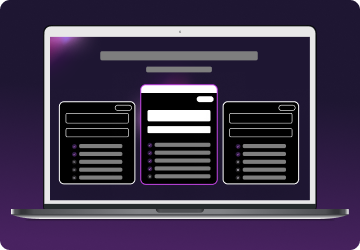
Choose a plan for your needs. Plus is our most popular, get it now for $2.99/mo. -
 2
2Step 2
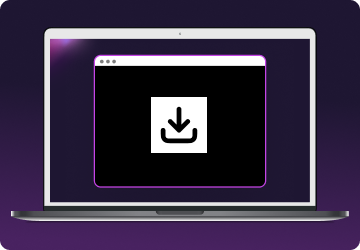
Download the Mysterium VPN app for your device. Available for laptops, smartphones, tablets, and browsers. -
 3
3Step 3
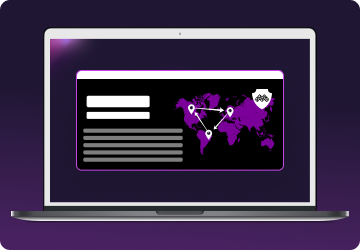
Sign in, select a country, and connect. You're now browsing securely from wherever you choose.
Reclaim the internet that took you at your word!